
By hand, in seconds
Tap +, choose expense or income, account, category, and date.
Free
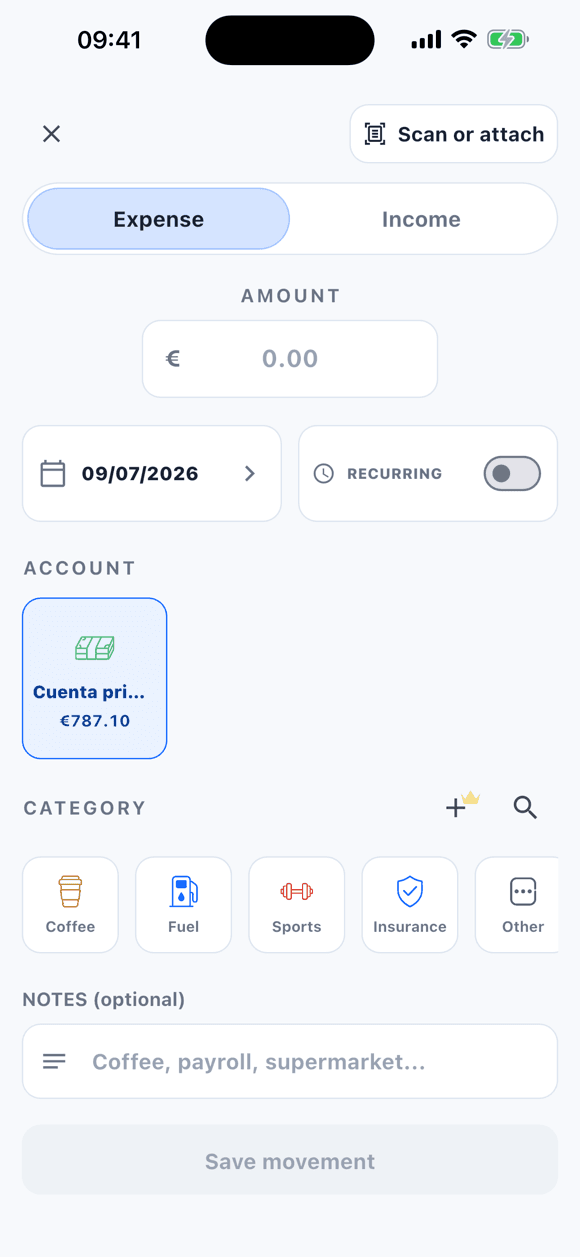
No bank connection · you decide how expenses get in
Tally helps you log expenses and income in seconds, organize accounts, and keep receipts without turning personal finance into a heavy dashboard.
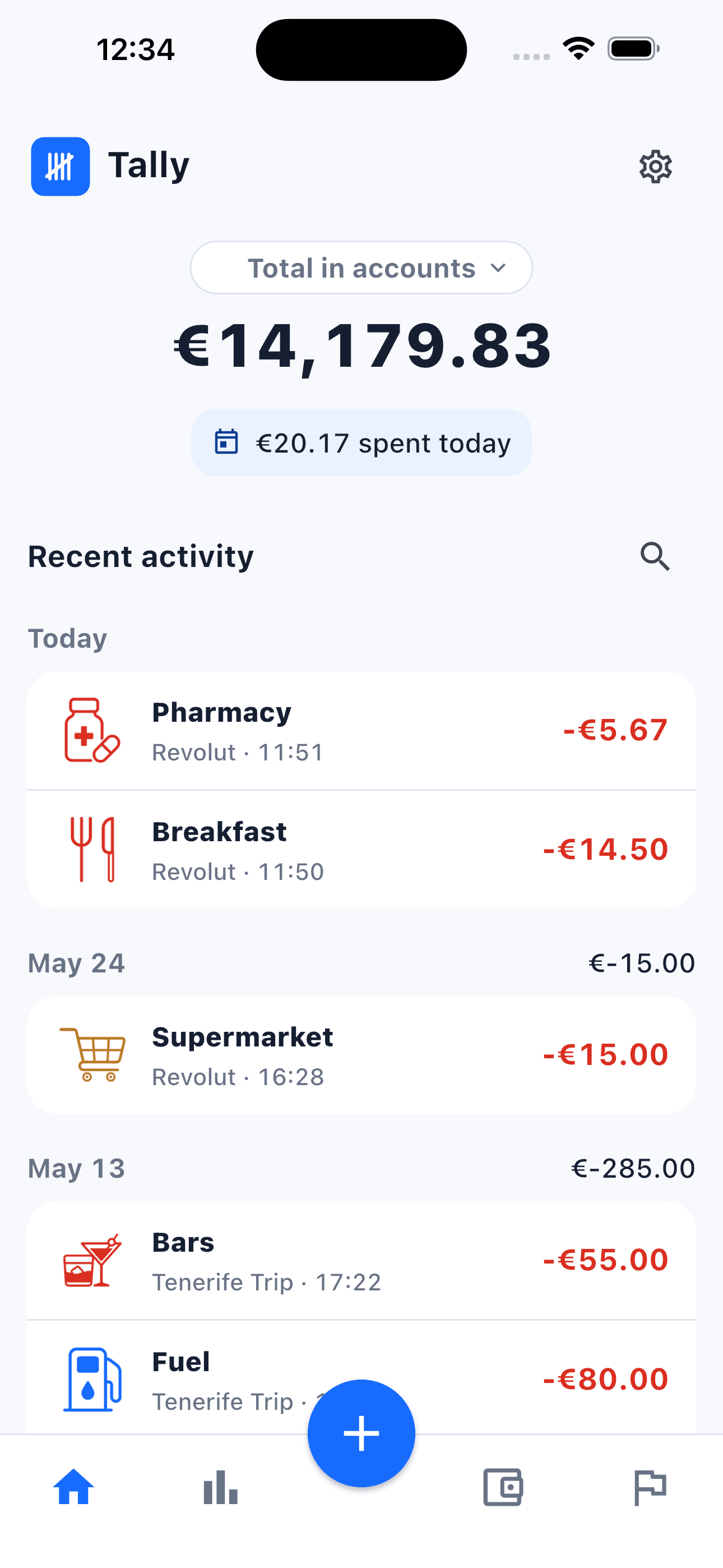
WAYS TO LOG
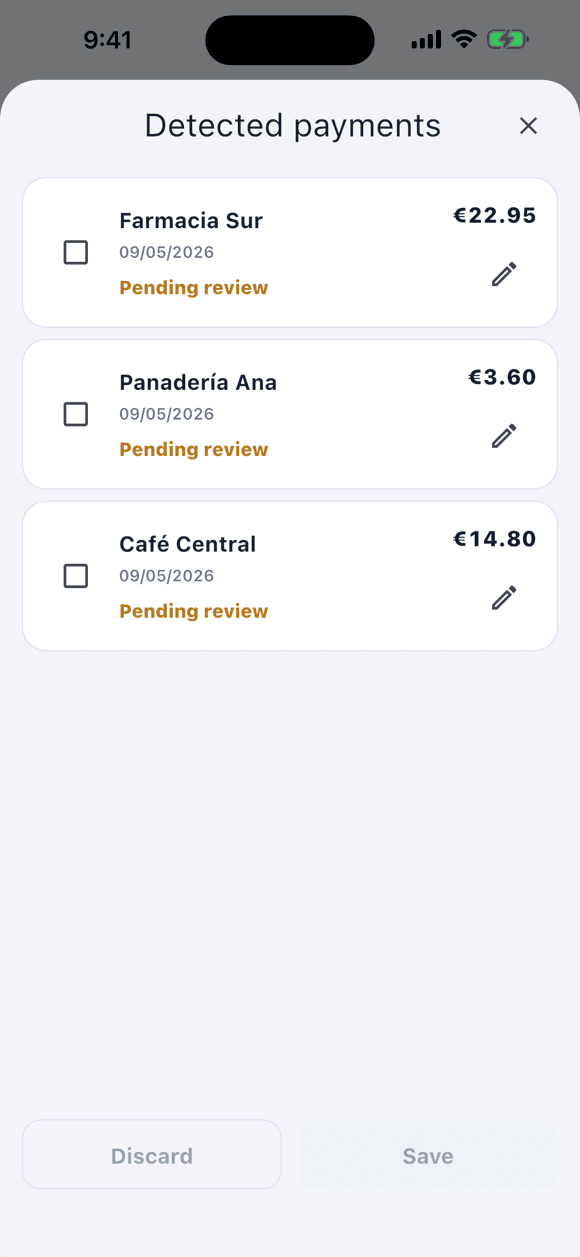
Receipts, statements, and Wallet propose the movement for you; you choose how each one gets in and review it before saving. Nothing is saved until you approve it.
Tap +, choose expense or income, account, category, and date.
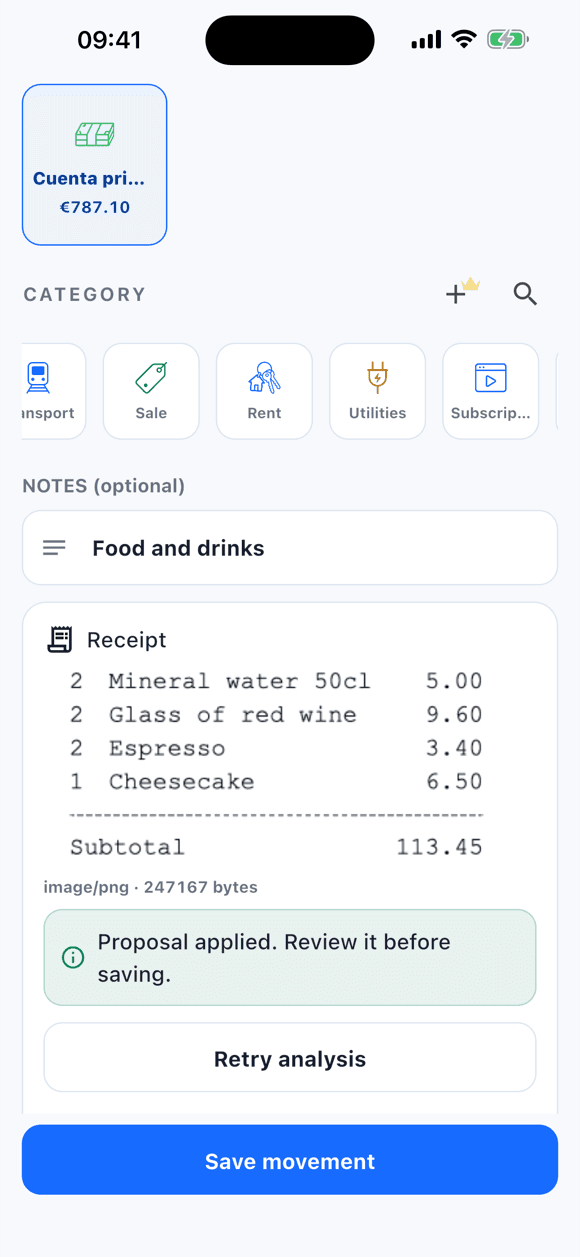
The photo stays on your phone. If you tap “Analyze receipt”, Tally proposes amount, date, and category for you to review.
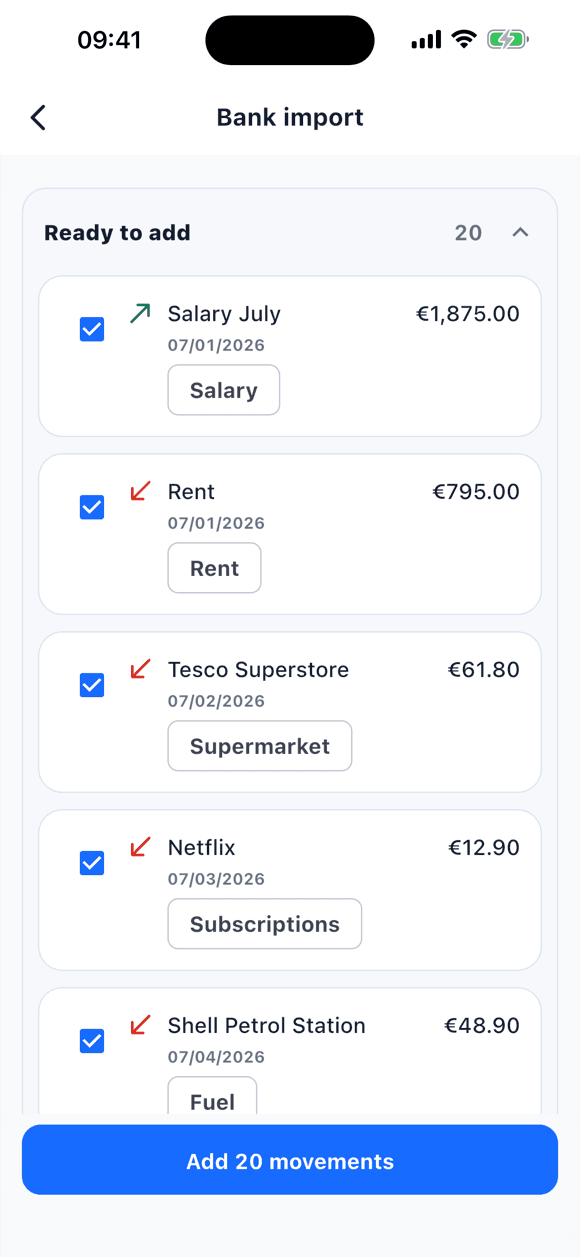
A CSV, Excel (.xlsx), or Spanish Norma 43 file you choose. Review the rows and confirm before saving.
Optional automation (Shortcuts on iOS, Google Wallet notifications on Android). Each payment arrives as a draft you review.
WHAT TALLY IS
Tally is an expense tracking app for iPhone and Android designed for people who want clarity without connecting a bank account.
It lets you log expenses and income by hand, separate accounts, use the built-in categories, keep receipts, and review statistics, goals, and recurring items. Functional data stays on the device by default. With Tally PRO you can import a CSV, Excel (.xlsx), or Spanish Norma 43 statement you choose — without connecting your bank — review the rows, and confirm before saving; you can also create unlimited custom categories (2 on the free version) and share only the accounts you choose. Shared content is encrypted on the device before upload. Receipt images stay local when you share. AI analysis runs only if you tap “Analyze receipt”.
WHY TALLY EXISTS
Each option solves something and costs something. Tally exists for people who want all their money in one place, log in the moment, and do not want to give access to their bank.
| Option | What it does well | What it costs |
|---|---|---|
| Spreadsheet | Free and fully flexible. | You maintain formulas and open it on a computer; receipts live elsewhere. |
| Bank app | Movements appear on their own. | It only sees that bank's accounts; no cash, no other cards, no receipts. |
| Tracker with bank connection | Brings several banks together automatically. | Requires giving the app or an aggregator access to your accounts. |
| Tally | All your accounts in one place, logging in seconds, receipts next to the expense, statement import when you need it. | No bank connection: you log, photograph, or import, and review before saving. |
ESSENTIALS
Tally is designed for short sessions: log, review, move on. When a feature has its own page, the row takes you there.
Add, edit, delete, and search movements by account, category, date, or concept.
Attach receipt photos from camera or gallery. AI analysis only runs when you ask.
Sort groceries, leisure, transport, and income with Tally’s categories.
A CSV, Excel (.xlsx), or Spanish Norma 43 file you choose, without connecting your bank. Review the rows and confirm before saving.
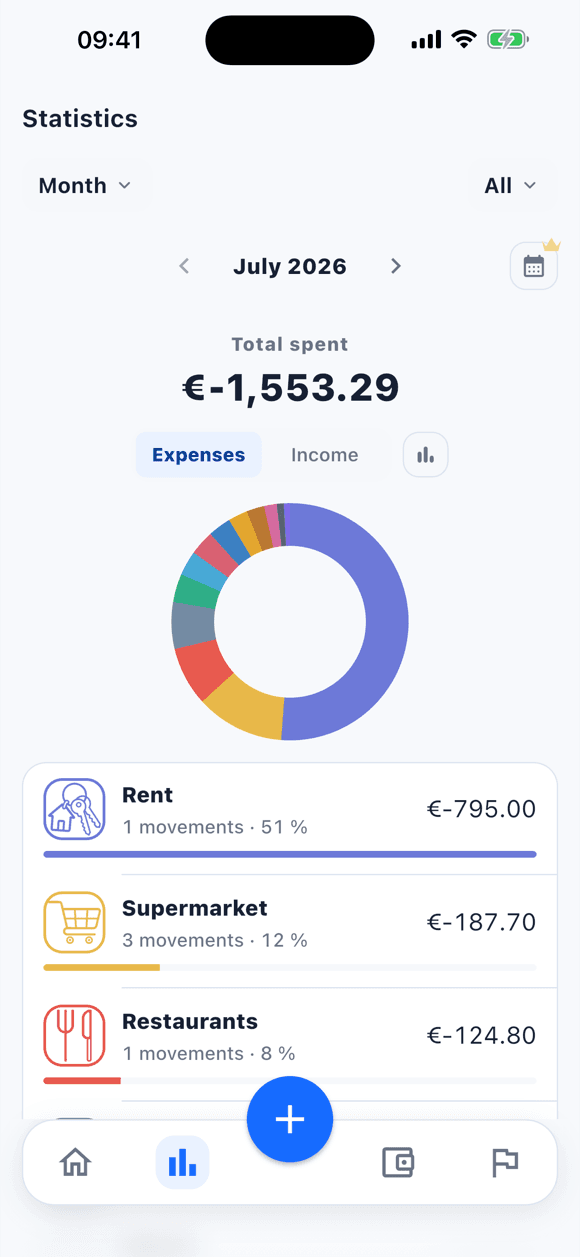
Review category breakdowns, comparisons, trends, and goal progress.
Share a specific account with other PRO users, choose who can edit, and synchronize its transactions encrypted.
Save periodic expenses or income and review what is coming next.
Each account in its own currency: EUR, USD, MXN, GBP, CHF, JPY, and more. The total is converted to your main currency on the phone, at daily rates.
Export a metadata-only CSV or share a local reviewable pack. Re-importing a Tally CSV from Settings merges data and is not statement import.
HOW IT WORKS
Tap +, choose expense or income, account, category, and date.
Separate accounts, categories, receipts, and goals.
See what comes in, what goes out, and where to adjust.
Logging your first movement takes under a minute.
Download freeUSE CASES
The method is the same; what changes is how you separate the money. These pages explain each case with what Tally does and what it does not.
REVIEWS
“I’ve tried several apps like that, but this one is by far the best. The interface is incredibly intuitive and clean, making it super fast to log expenses on the go. It does exactly what I need without any unnecessary clutter. Highly recommended”
Fernando Blesa · App Store · 4 jun. 2026
“Fácil de usar y muy útil. Puedes crear varias cuentas de gastos (hogar, ocio, etc.) y añadir los diferentes gastos categorizados. Hay buscador de gastos muy práctico. Puedes subir una foto de un ticket como gasto y te lee la información.”
Claudio VB · Google Play · 7 jun. 2026
“Me ha gustado mucho esta aplicación, es fácil de usar, me ayuda a controlar todos mis gastos día a día y ver dónde puedo ahorrar al tenerlo todo a la vista. Sobre todo lo mejor es que mis datos son privados.”
Ana Maria Toro Torres · Google Play · 6 jun. 2026
“De las mejores aplicaciones de control de gastos. Rapidísima, limpia y sin anuncios”
J. Javier Delgado · Google Play · 6 jun. 2026
TRUST
Tally stores your data locally by default. With Tally PRO you can manually import a CSV, Excel, or Spanish Norma 43 file without connecting your bank. If you choose to share an account, its functional content is encrypted on your device before synchronization. We do not sell data or use your transactions for advertising.
TALLY PRO
The free version covers the basics, including 1 AI receipt scan. Tally PRO unlocks encrypted shared accounts, unlimited custom categories, event accounts, statement import, unlimited AI scans, and more room for accounts and recurring items.
FAQ
No. You log movements by hand. With Tally PRO you can import a CSV, Excel (.xlsx), or Spanish Norma 43 file you choose, review the rows, and confirm. That does not connect your bank. In Settings, importing a CSV exported by Tally is a different flow: it merges data and does not ask for row-by-row review.
Only the account you choose and the data needed to synchronize it. Functional content is encrypted on your device before upload.
Receipt images remain in the app private storage even when you share an account. An image is only sent when you tap analyze receipt.
Yes. You can download Tally from the App Store and Google Play.
No. It creates reviewable drafts when enabled with PRO; you decide whether to save them.
No. Quite a few products are called Tally and none of them are related to this one. This Tally is the expense tracking app by Juan Carlos Rodicio: the App Store and Google Play list it as “Tally: Control de gastos”, its bundle id is com.rcuadrado.tally, and its only official site is tally.rcuadrado.es. If you are searching and unsure, the developer name is the quickest way to tell it apart.
COMPARISONS
Tally does not try to be every finance app. These comparisons explain where it fits best: fast entry, PRO statement import when you need it, shared accounts, and no bank connection.
Logging on your phone with the receipt attached versus the total flexibility of a spreadsheet.
A guided budgeting method versus starting with fast entry and importing only when you want to.
Expense control and shared accounts versus splitting balances between people.
A local-first mobile expense app versus open-source, self-hosted envelope budgeting.
Add your first account, log one movement, and feel the relief of having it visible.


Free · Account required · PRO from €0.83/month · No ads

Scan and download
Featured on
